Service
Microsoft 365 penetration testing, starting with identity
Microsoft 365 penetration testing looks at how an attacker could take over accounts, read mail or reach shared files in your tenant. Because email and identity sit at the centre, one weak setting can expose a great deal.
- Signed written scope first
- Senior ethical hackers only
- Your NDA signed as standard
What Microsoft 365 penetration testing covers
We test your configuration, not Microsoft's platform. Therefore the work follows Microsoft's published rules, the Microsoft Cloud penetration testing rules of engagement.
- Sign-in, multi-factor and conditional access
- Privileged roles and who can grant them
- Mailbox forwarding and delegation
- External sharing in SharePoint, OneDrive and Teams
- App registrations and consent permissions
Identity is the main door
Most tenant compromises start with one account. For example, a user without multi-factor, or an app granted broad consent. So we follow the paths from a single account outwards.
Microsoft 365 penetration testing readiness
Tick what is in place.
Your result appears here as you tick, so you can see what is still open.
Common findings in Microsoft 365 penetration testing
The same weaknesses appear in many tenants.
| Finding | Why it matters |
|---|---|
| Legacy sign-in still allowed | It can bypass multi-factor. |
| Too many global admins | Each one is a high-value target. |
| Open external sharing | Files can leave without review. |
| Broad app consent | Third-party apps can read mail. |
How the engagement runs
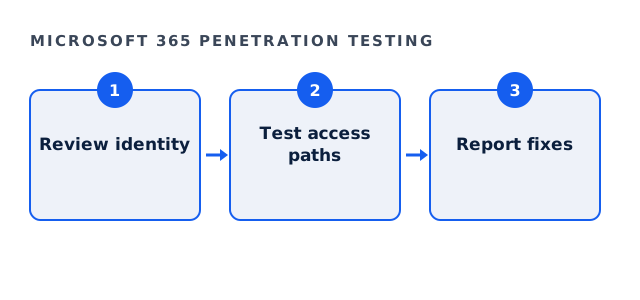
First, a read-only review with an account you provide. Next, agreed tests of specific paths. Finally, a written debrief from the ethical hacker who ran it, then a retest once you fix the findings.
Fees
Tenant testing is usually part of a network and cloud engagement. Full engagements usually land between $35,000 and $120,000, with a floor of $25,000. The bounded External Exposure Review starts at $4,500, and its fee is credited in full against a full engagement commissioned within ninety days.
Also check mailbox rules after the test, because attackers often hide forwarding rules there. A short review of rules across the tenant is a quick win that many teams overlook. As a result, a common persistence trick is closed even before the full report arrives.
Microsoft 365 penetration testing questions
Do we need Microsoft's permission for Microsoft 365 penetration testing?
Not for your own tenant within the published rules, which we reference in your scope.
Will testing lock out users?
We avoid it. Password tests are agreed in advance and kept below lockout thresholds.
Does Microsoft 365 penetration testing include Azure?
It can, because both share identity. If you need only one, we scope only that one.
Is a configuration scanner enough?
No. A scanner lists settings, while a tester proves which ones combine into access.
Related guides
Scope Microsoft 365 penetration testing
Tell us your tenant size and licences. We reply with a written scope and a fixed fee.
Request a written scope